
Category: blog

  • Finding the real user need

    Finding the real user need

    On a recent assignment to transform a legacy application to cloud we came across a good example in finding the real user need. As with many IT migration projects this incident tracking application had a tight deadline and a set of assumptions about user needs.  ‘Lift and shift’ was the mantra and the idea of going out and talking to end users about their workflow requirements met with raised eyebrows.

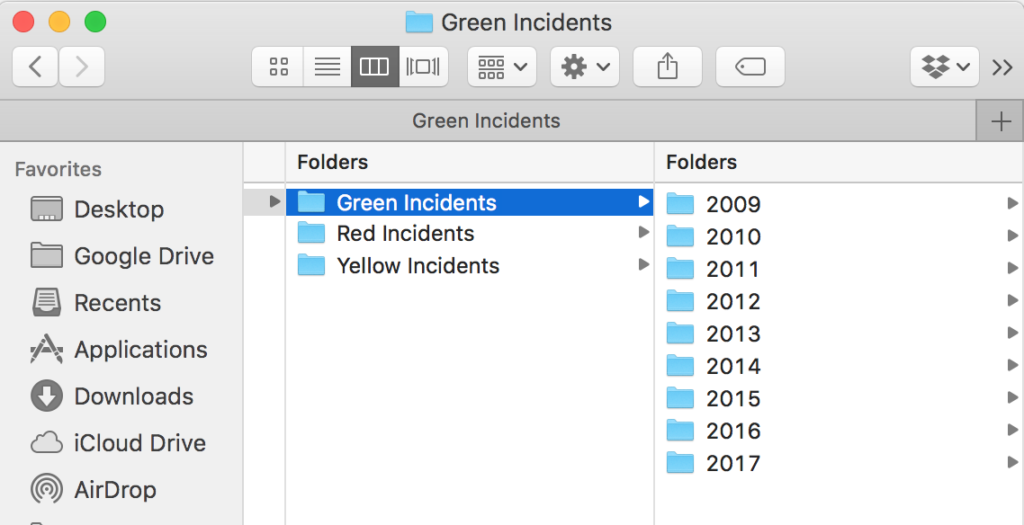
    To be fair the incident reporting process was regulated and so well understood by end users and internal staff and accounted for a good 90% of the story backlog.  But there was one epic, folder management, that had a wrong smell. Some years ago as incident volume grew user’s had complained they could not find their incidents and they wanted a way to organise them like files in a folder. So users were given a folder management feature where they could name their own folders and move incidents in any taxonomy structure they liked.

    It was a popular feature with over two thirds of the user base having a named folder and many having dozens. User’s folders were private and internal staff did not know how they were being used just that users were grateful. Building out a new folder manager and migrating existing structure to the new cloud application would be possible but time-consuming. But what did users really need?

    As we had access to the folder metadata it was possible to look for patterns in the names used. Not surprisingly dates and names relating to incident types were the most popular along with user’s names and various ad-hoc names to organise. But why make users move incidents into dated folders when we could give them a dynamic filter in the cloud?

    There was already a story to filter incidents by reporting date and type so it was easy to extend and demonstrate the idea. Conceptually filtering things and placing things in folders achieve the same user goal albeit with a couple of caveats — user’s viewpoint and persistence. The preset year and type filters replaced the static date folder hierarchy and incident type hierarchies. No need for users to manually curate their things – a win for users and a win for the business no need for folder manager feature. But what about the ad-hoc names they used for folders?

    Given a way to create their own filter criteria as tags users could apply ad-hoc filters just the way they did using folders. Tagging would still need a new feature though. Initial discussion with the main users of folder manager approved the new approach. So much so that all representatives thought the new set of preset filters would be all they would ever need. Crucially they suggested a simple notification when first using the cloud application to highlight filters to the wider user community. A simple broadcast message feature was already in the backlog.

    As the retro for this project makes clear – remember to ask your users what they really need and beware of requirements disguised in a design. Files and folders were a wonderful metaphor in Windows but need not apply everywhere.

  • Nexus and You

    Did Santa bring you a fondle-slab for Christmas?

    The ubiquitous iPad form factor has its charms, large enough for a touch pad keyboard and ideal for Skype video. But somehow the aspect ratio was never golden – most noticeable when watching a movie. iPad mini – a chip of the old block, inheriting its parent’s form factor, displays the same letter-box bands. Google’s Nexus 7 breaks the mould and somehow fills the screen area with more content and less black. The Nexus HD screen looks better too although not quite as good as the larger iPad’s Retina quality.

    It got me thinking why is the Google Nexus over £100 cheaper than the iPad mini? Even with Apple’s premium pricing the Nexus has to be a loss leader. Is subsidising and controlling a personal gateway to the web Google’s goal here? As users migrate from desktop PC based search to mobile and tablet access the ability to manage and control access brings the opportunity for personalisation. If your starting point for search follows you across platforms your profile behaviour can be used to optimise mobile search and advertising revenue. Whereas Siri can reply to your request for the nearest restaurant, Google can filter by your favourite one to bring a better and more optimised experience. Apple may know your favourite music and films but it can’t match the multidimensional semantic links that Google has learned from your desktop search behaviour. Did you ever stop to think why Google made it so easy to let you sign-in to access its services? Routing search back to IP address alone confuses Google. For example, it thinks our IP matches a 60+ female user profile (I won’t divulge what I’ve been searching for but will say my wife does like Ravelry – a rather well designed social knitting site) so IP profile matching can be way off.

    Keep taking the tablets is a phase I’m thinking will be pushed by the main suspects in the race for mobile supremacy – Nexus 7 platform for Google (locked to you, tracking you, mobile you).

    Google have learnt from the Internet sharing common IP issue and provided multi-user accounts on the Nexus. When you add a new user the check boxes ‘Use Wi-Fi location’ and ‘Let Google apps access your location’ are enabled for you. Of course you can change these settings at any time but just how many will bother to? You also agree to receive any installation updates from Google and use of the tablet is subject to privacy policy to which you agreed and read. What do you mean you didn’t bother clicking Learn more? Agreement does bring you tailored search.

    Have to log-in – Can’t log out. Anonymous searching is not encouraged.

    Apple on the other hand is not a multi-user platform. Why would it be. It’s not in Apple’s interest to share iPads, each user should have their own as their content is tied. It stems from the iPod and iPhone personal platform thinking which sort of makes sense for cell phones. Of course I have installed Google Drive on my iPhone so I can see my files which Apple don’t want me to see. And with that free service I have to sign-in and so rewarded with Google’s personal search. With such thinking it makes it clear why Apple wanted to remove Google maps from their iOS…

    So by next Christmas I’m sure many more tablet devices will have been switched on and users signed up and in to a personal web experience. Just remember you are being watched.