Author: Rick

  • Agility and the Surgical Team

    You may remember Fred Brooks’ Mythical Man Month – a classic book on software engineering of the early seventies. He introduced the idea software development by a surgical team with a highly skilled code smith – the surgeon – who cut the code surrounded by assistants who facilitated the surgeon. Back then the size and complexity a typical program could be handled by individuals but as systems grew larger many surgical teams were required. Overall efficiency was limited by the inter dependencies and communication between teams and so the surgical team fell out of fashion.

    A recent encounter with my finger and our domestic short hair tabby gave me the opportunity to witness how today’s surgical teams work. It struck me how agile their approach to providing clinical care is. Their daily ‘scrums’ begins with walking the wards to assess the previous day’s work and the new cases for theatre that day. Speed is important so nursing staff will have removed impediments like dressing’s ready for the consultants’ assessment. The team including anaesthetists,  surgeons and chief consultant move from patient to patient like the development team move from story to story in the daily standup. The patient tells their story and the team listen and assess. Wounds are tested – stressed and checked.

    The definition of done for the surgical team is approval for patient discharge. Each of their sprints lasts just one day as each patient’s story is reviewed, planned and committed to a sprint. Backlog prioritisation takes place during the scrum with patients being told the news. Bedside whiteboard recording the NBM – nil by mouth decision for theatre that day. Bedside charts record the tasks and the result of tests performed.

    While there are clear parallels between the flow of patients and the development of software, I was struck by the efficiency and agility of the clinical teams. Daily sprints with daily ceremonies are demanding. Theatre staff work shifts so the day is much longer than is usual for software development. Okay, in both cases many long nighters have been the norm to meet a challenging emergency.

    With regional anaesthetic it’s now possible to witness the surgical team at work – from the anaesthetist’s preparation to being wheeled back to the ward by another surgeon as the porters have gone home. Still one lead surgeon cutting the code with support from others. And technology plays a crucial supporting role with ultrasound to show the precise location where the nerves need cooking to searching for X-rays stored in the cloud.

    Agility is live and well in a hospital near you.

    My gratitude and admiration to the staff at the Queen Victoria Hospital in East Grinstead and for demonstrating how super-agilility works with precision. This is not just on the main wards – the efficiency extends to out patients with automated self service check-in kiosks that are simple to use and direct patients to the correct waiting area with ease.

    Now I just wonder where my data will end up… See WIRED Nov 2014.

  • Storycase signs deal with WTG

    Storycase provide agile product owner / business analysis consultancy services for Web Technology Group. Storycase will lead the requirements capture for the alpha and beta phases of a Government Data Services project aimed at improving submissions and reporting via an online portal.

  • Best Practice with Axelos

    Storycase provide agile business systems analysis consultancy services for Axelos global best practice owners of ITIL® service management and PRINCE2® project management suit of products.

  • Content management with LexisNexis

    March 2013: Storycase signs contract with LexisNexis to provide agile business analysis for a new precedent and clause management system. LexisNexis, part of Reed Elsevier, provide global legal intelligence solutions including a range of established publications for legal professionals.

  • Nexus and You

    Did Santa bring you a fondle-slab for Christmas?

    The ubiquitous iPad form factor has its charms, large enough for a touch pad keyboard and ideal for Skype video. But somehow the aspect ratio was never golden – most noticeable when watching a movie. iPad mini – a chip of the old block, inheriting its parent’s form factor, displays the same letter-box bands. Google’s Nexus 7 breaks the mould and somehow fills the screen area with more content and less black. The Nexus HD screen looks better too although not quite as good as the larger iPad’s Retina quality.

    It got me thinking why is the Google Nexus over £100 cheaper than the iPad mini? Even with Apple’s premium pricing the Nexus has to be a loss leader. Is subsidising and controlling a personal gateway to the web Google’s goal here? As users migrate from desktop PC based search to mobile and tablet access the ability to manage and control access brings the opportunity for personalisation. If your starting point for search follows you across platforms your profile behaviour can be used to optimise mobile search and advertising revenue. Whereas Siri can reply to your request for the nearest restaurant, Google can filter by your favourite one to bring a better and more optimised experience. Apple may know your favourite music and films but it can’t match the multidimensional semantic links that Google has learned from your desktop search behaviour. Did you ever stop to think why Google made it so easy to let you sign-in to access its services? Routing search back to IP address alone confuses Google. For example, it thinks our IP matches a 60+ female user profile (I won’t divulge what I’ve been searching for but will say my wife does like Ravelry – a rather well designed social knitting site) so IP profile matching can be way off.

    Keep taking the tablets is a phase I’m thinking will be pushed by the main suspects in the race for mobile supremacy – Nexus 7 platform for Google (locked to you, tracking you, mobile you).

    Google have learnt from the Internet sharing common IP issue and provided multi-user accounts on the Nexus. When you add a new user the check boxes ‘Use Wi-Fi location’ and ‘Let Google apps access your location’ are enabled for you. Of course you can change these settings at any time but just how many will bother to? You also agree to receive any installation updates from Google and use of the tablet is subject to privacy policy to which you agreed and read. What do you mean you didn’t bother clicking Learn more? Agreement does bring you tailored search.

    Have to log-in – Can’t log out. Anonymous searching is not encouraged.

    Apple on the other hand is not a multi-user platform. Why would it be. It’s not in Apple’s interest to share iPads, each user should have their own as their content is tied. It stems from the iPod and iPhone personal platform thinking which sort of makes sense for cell phones. Of course I have installed Google Drive on my iPhone so I can see my files which Apple don’t want me to see. And with that free service I have to sign-in and so rewarded with Google’s personal search. With such thinking it makes it clear why Apple wanted to remove Google maps from their iOS…

    So by next Christmas I’m sure many more tablet devices will have been switched on and users signed up and in to a personal web experience. Just remember you are being watched.

  • Graphics in a jiffy

    Graphics in a jiffy

    Having grown up with case tools that over promised, under delivered and cost the price of a good family holiday it’s refreshing to find an innovative way to create a quick model or diagram without blowing the sprint budget.  And avoiding the need to raise a software support request to get another app installed – if you are unlucky enough not to have admin rights on the company’s PC. Gliffy.com will give you a good range of software modelling diagrams from simple flow chart through the usual UML suspects to network and BPMN flows for free. Have to thank Sven Poppelmann for the intro to this tool and  how useful its implementation can be in agile projects. We used it for simple domain modelling which helped nail scope and common language early on.

    First choice for quick diagraming is still the whiteboard and iPhone to snap &  attach to the wiki. But as models evolve it’s nice to have versions and a clearer picture that’s easy to change and looks professional. Gliffy’s web based offering fits the gap nicely and it’s very easy to use. It’s not a real modelling tool with an underlying repository and strict enforcement of modelling rules, which in many cases (no pun intended) does not matter too much. The main advantage of using a tool like Gliffy or Visio is the way connecting lines follow the activity / state / class around as they move. But unlike Visio, Gliffy doesn’t need a huge installation or upfront licence fee. You will need to fork out $5/month subscription fee for up to 200Mb of private Gliffy diagrams though and most commercial uses will demand this. Or if you’re really agile there’s a 30 day free option – ideal for that sprint!


  • Storycase Loyalty with Aimia.com

    February 2012: Storycase wins contract with Aimia.com to provide agile business analysis to develop a next generation loyalty platform. Aimia (formerly Groupe Aeroplan) is a global leader in loyalty management and run Nectar in the UK.

  • Digital Whiteboard

    Digital Whiteboard

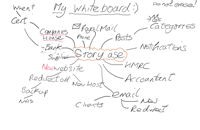
    Whiteboard image with mind-mapOne of the latest gadgets in the StoryCase office is a Intuous drawing tablet from Wacom. I remember getting a Wacom tablet many years ago when it needed an RS232 cable and separate power supply. It never really got used mainly due to the fiddly interface (was it 8 bit, parity or no parity?) and wires that just got in the way. These new models are so much easier – just one usb plug and you’re up and running or there’s even a wire free one if you want.

    Somehow in the last office move I lost my whiteboard and so I thought it would be good to try and hook up a digital one instead. Of course the ubiquitous iPad could be used but there’s something about holding a pen in the hand that makes writing and doodling for me so much more natural. So I fired up Photoshop on the MacBookPro and started with a blank canvas 1200x780px. I claimed it “My Whiteboard” and added “Do not erase!” on the background layer to add some reality (yes, it’s tempting fate especially when saving on the project share).

    Next I added a new layer with today’s date and began with a mindmap of tasks I’d been thinking about and needed to focus on. Changing company name has generated a myriad of stuff to do and the linear todo lists had just grown longer. The whiteboard helped us see the dependencies so we ‘d spend less time arguing why we’d actioned things in the wrong order – another story, when I get a minute.

    Soon the layers build up into a digital version of the whiteboard that seems really quite useful. Toggling the layer visibility makes it easy to see what’s changed and when and if you want to try a new branch of ideas just fill the layer to obscure the previous doodles. Okay, there have been many attempts at virtual whiteboards already – Trello, EasyChalk, Uniboard or integrated into Livemeeting for example, but a simple multiple layer approach in PSE or Photoshop works fine if you want to be creative with doodles. “My Whiteboard” is shared on the office NAS so we can all participate and there are separate Kanbans for each project we’re working on.

    So did the new Wacom get used? Well yes, just need to add the whiteboard pen aroma to complete the user experience!

    Postscript – we’re evaluating digital whiteboard solutions and the cloud based Trello is our current favorite so if you have not seen what it can do why no try it out? : http://trello.com – it’s currently free!


  • New Year, new name – StoryCase Ltd

    New Year, new name – StoryCase Ltd

    January 2012: Objecta are now StoryCase Ltd – the new name reflects our business direction to focus on the crucial requirements gathering and story driven approach to building useful eBusiness applications. We remain committed to provide innovative solutions to our client’s business processes and build useful applications with minimal cost and maximum quality.

  • Defect Thursday

    Defect Thursday

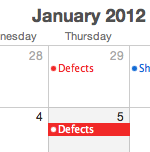
    Calendar showing Defect task for ThursdaysDoes your development team treat defects differently? A few projects ago the sprint teams I worked with decided the best way of burning down the bug list was to allocate at least a day a week (or every two weeks) to defects. There were several sprints running in parallel with a continuous daily build.  The main sprint’s stories took priority so non critical defects built up. Come defect Thursday everyone dropped the new tasks and picked up the bugs.

    Over several weeks the burn-down charts showed progress with reduced defects along with the main stories. With the weekly expectation of having to focus on defects the sprint teams adopted a more ‘relaxed’ approach to bugs. Of course the critical bugs took priority in the daily stack but the medium and low priority defects were left for Thursdays. This allowed more time to think through a better fix. Thursday’s stand-up could home in on areas that needed refactoring to fix the defect and maybe adopt a better strategy for exception handling or tackling the buggy UI component that had been accepted until now.

    Compared to some other approaches to managing the defect list such as daily developer rotation (oh no it’s not my turn) or swot team (the ‘B’ team – always bug fixing) having a fixture in the calendar my work for you too.